
How To Use Claude For SEO: 7 SEO Tools To Build With Claude
- Michelle Tansey

- May 27
- 8 min read
Key Takeaways
Discover how to use Claude for SEO to build custom tools using basic English instructions instead of complex code.
Stop waiting on web development teams; build your own lightweight tools to automate data sorting, link checking, and log analysis instantly.
Learn actionable workflows that prepare your website to win traditional Google rankings and high-visibility AI search engine citations.
For a long time, standard SEO practice followed a predictable pattern: run an audit, export a massive spreadsheet of recommendations, hand it over to a web developer, and wait weeks, or even months, for those changes to go live.
But you don’t need to wait on a development backlog anymore. Even if you have absolutely zero coding experience, figuring out how to use Claude for SEO can completely transform your workflow. Instead of just recommending fixes, you can use Claude as your personal, on-demand assistant engineer to build custom, lightweight tools that automate your daily tasks.
By building these tools, you will optimize your site for traditional Google searches while making your content highly visible to AI search engines (like Google's AI Overviews and Perplexity).
Here are 7 simple, highly useful, and non-intimidating tools you can build with Claude today. Take note that instructions below are applicable to Claude Pro.
1. Information Gain Content Auditor
Why Use Claude For This Task
Google and AI search engines actively penalize copycat content that just repeats what everyone else is saying. To rank well today, your content needs Information Gain, which simply means adding new, unique value, fresh data, or an original angle that isn't already on the web.
Claude is incredibly smart at analyzing text and can act as an automated editor, instantly comparing your content draft against your top competitors to tell you exactly where you are repeating them and where you stand out.
How To Setup Claude To Perform This Task
The Setup: Create a new Project inside Claude and title it "Information Gain Auditor."
Project Knowledge: Upload a text file with an example of an article you've written that performed exceptionally well on Google. This teaches Claude your brand's unique tone and preferred formatting style.
Custom Instructions: Set your permanent rules in the project settings: "You are an Information Gain Content Auditor. I will provide you with my draft copy and competitor text. Your sole job is to analyze the semantic gaps and output a clean summary listing: 1) What we have in common, 2) Unique insights my competitors have, and 3) Clear suggestions on how to make my draft more unique."
How to use it: Whenever a new article draft is ready, simply open this specific Project, paste your draft alongside the competitor text, and hit send. Because the background instructions are saved permanently, Claude will immediately generate your optimized gap report without you having to retype your prompt layout.

2. Custom Entity & Schema Markup Generator
Why Use Claude For This Task
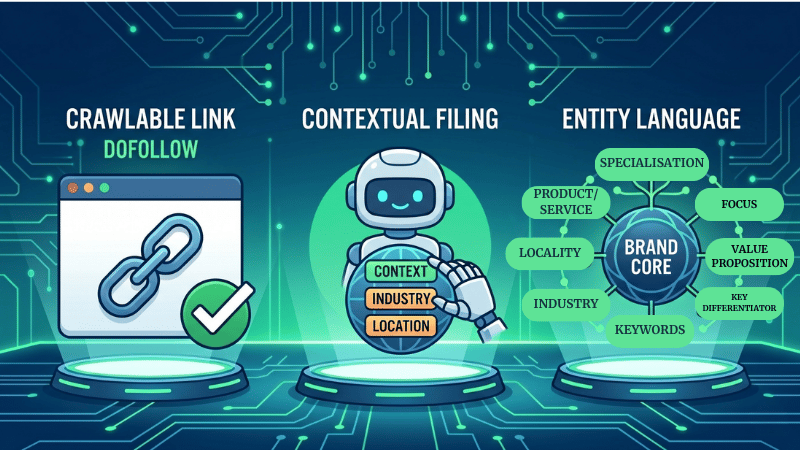
Search engines don't just read words. They look for Entities (specific people, places, things, or concepts) and the connections between them. This helps establish Entity Authority by examining your brand’s digital footprint.
Need help establishing your Entity Authority? Red Queen Marketing’s Link Building service can help you build an online reputation that tells AI and search engines that you’re trustworthy.
To help search engines understand these connections, SEOs use Schema Markup written in a code format called JSON-LD. Think of Schema as a digital translator that explicitly tells Google, "This page is about Brand X, which was founded by Person Y."
Writing this code manually is tedious, and standard plugins are often too generic. Claude can write flawless JSON-LD code for you in seconds.
How To Setup Claude To Perform This Task
The Setup: Create a new Project in Claude and title it "Schema & Entity Generator."
Project Knowledge: Upload a text file containing 1 or 2 examples of your site's existing, perfectly formatted schema code. This teaches Claude your preferred layout.
Custom Instructions: In the project settings, set your permanent rules: "You are an expert technical SEO developer. Your sole job is to accept article text and output clean JSON-LD schema using about, mentions, and sameAs properties. Do not include introductory text, just provide the code block."
How to use it: Whenever a new draft is ready, open this Project, drop your text in, and say "Go." Claude will instantly output your schema perfectly tailored to your exact templates.
3. Site Traffic (Log File) Analyzer
Why Use Claude For This Task
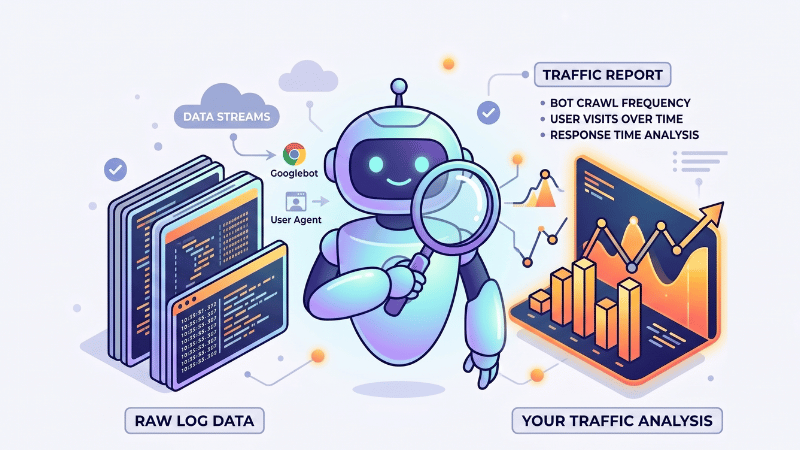
Every time a search engine bot (like Googlebot) visits your website, your server records it in a hidden ledger called a Server Log. Analyzing these logs is the best way to see how often search engines crawl your site.
However, commercial log analyzer tools are incredibly expensive. Claude can build a completely free, simple visual dashboard for you so you can see exactly which pages Google is visiting and which pages it is ignoring.
How To Setup Claude To Perform This Task
The Setup: Create a new Project in Claude and title it "Crawl Health Assistant."
Project Knowledge: Upload a text file that contains a quick 5-row sample of your server's exact log layout. This trains Claude to understand how your specific hosting setup formats dates, URLs, and error codes.
Custom Instructions: Set your permanent rules in the project settings: "You are a technical SEO server log analyst. Whenever I paste a chunk of raw log data, immediately extract search bot behavior. Group the URLs they crawled by status code: list all successful pages (200), redirected pages (301), and broken pages (404) in a clean Markdown table."
How to use it: When a specific page on your site isn't ranking or indexing on Google, copy a small chunk of your recent server logs, open this Project, and paste it into the chat. Claude will instantly tell you exactly when Googlebot last visited that page and if it ran into a technical error.
4. Search Intent Classifier
Why Use Claude For This Task
Search Intent is the real reason someone types a phrase into Google or asks a question on AI chat. Are they looking to buy something right now (Transactional), or are they just looking for a quick definition (Informational)?
Traditional SEO tools guess this intent using rigid, automated rules, which often miss the subtle human context. Not to mention, they’re also available at sky-high subscription pricing.
Claude understands human language naturally, allowing it to categorize thousands of search terms accurately based on true meaning.
How To Setup Claude To Perform This Task
The Setup: Create a new Project in Claude and title it "Keyword Intent Engine."
Project Knowledge: Upload a small spreadsheet file containing 20 to 30 examples of your keywords alongside their correct intent classifications. This functions as a cheat sheet, training Claude on how you define intent for your specific industry.
Custom Instructions: Set your permanent rules in the project settings: "You are a data sorting expert. Your only task is to accept lists of keywords and return them in a clean Markdown table with two columns: Keyword and Intent. Prioritize human search context over rigid modifier rules."
How to use it: Whenever you have a new batch of keywords, open this Project, paste your list into the chat, and hit send. Claude will instantly return a beautifully sorted table that you can copy right back into your master planning documents.
5. Internal Link Map Maker
Why Use Claude For This Task
Internal Links are the hyperlinks that connect one page of your website to another. Think of them as roads. They help search engine bots travel through your site and pass ranking power to your most important pages.
Mapping out these links manually across hundreds of pages is nearly impossible. Claude can quickly generate a custom visual script that crawls your site map and draws a literal map of your site's internal linking structure.
How To Setup Claude To Perform This Task
The Setup: Create a new Project in Claude and title it "Internal Link Architect."
Project Knowledge: Upload a CSV export of your website’s current URLs and page titles (which you can easily download for free from Google Search Console). This gives Claude a permanent memory of every page on your site.
Custom Instructions: Set your permanent rules in the project settings: "You are an internal linking expert. Whenever I paste the text of a newly written blog post, look at the uploaded site CSV file. Identify 3 existing pages on my site that should link to this new post, and suggest the exact 'anchor text' (the clickable words) to use for each link."
How to use it: Whenever you finish writing a new article, open this Project and paste your draft. Claude will instantly tell you exactly where to go on your live website to add links to your new content, helping Google find and index it much faster.

6. AI Overview Formatting Assistant
Why Use Claude For This Task
To get cited inside Google's AI Overviews or platforms like Perplexity, your content must be exceptionally easy for an AI to extract. AI bots love data density. This means, they look for concise definitions, bulleted summaries, and clear tables.
Since Claude is an AI model itself, it knows exactly how AI algorithms like to read. It can act as a formatting coach to rewrite your existing paragraphs into highly extractable formats.
How To Setup Claude To Perform This Task
The Setup: Create a new Project in Claude and title it "AIO Optimization Studio."
Project Knowledge: Upload a text file with a few examples of content that has already successfully won a Google AI Overview or a Perplexity citation. This teaches Claude the exact visual layout and tone you prefer.
Custom Instructions: Set your permanent rules in the project settings: "You are an expert editor specializing in structural formatting for search engines. Whenever I paste text, do not chat or give advice. Instantly rewrite the text into three distinct components: a 2-sentence introductory definition summary, a highly scannable bulleted list, and a clean HTML chart."
How to use it: When a new post is ready, simply open this Project, drop your text into the chat bar, and press enter. Claude will instantly spit out perfectly structured, extractable content blocks matching your preset brand templates.
7. Smart Redirect Matcher For Site Updates
Why Use Claude For This Task
When a website updates its design or changes its URL structure, you must set up Redirects (a digital forwarding address) so that users and Googlebot hitting an old URL are automatically sent to the correct new URL.
If you match them incorrectly, you lose your Google rankings. Traditional methods require tedious manual matching in Excel. Claude can build a tool that reads the meanings of your old page titles and automatically pairs them with the most relevant new page.
How To Setup Claude To Perform This Task
The Setup: Create a new Project in Claude and title it "Migration Redirect Architect."
Project Knowledge: Upload a master CSV spreadsheet of your website's new sitemap (including all current URLs, H1 tags, and page titles). This gives Claude a permanent memory of your current site structure.
Custom Instructions: Set your permanent rules in the project settings: "You are a technical SEO redirect assistant. I have uploaded my new site structure. Whenever I paste a list of old page titles, compare them against the uploaded file. Output a clean table mapping the old title to the most semantically relevant new URL so I can safely pass our search ranking equity."
How to use it: Whenever you clean up your site or change URL paths, simply open this Project, paste your old links into the chat box, and hit send. Claude will cross-reference its permanent memory of your new site and instantly hand you the exact redirect pairs you need.

Learn How To Use Claude For SEO Today
Understanding how to use Claude for SEO and AI search is the ultimate competitive advantage in a fast-moving digital landscape. By treating Claude as an execution partner rather than just a basic chatbot, you shift from an SEO who only recommends fixes to one who actively builds solutions.
You no longer have to wait on external web development teams to fix broken internal links, create schema markup, or analyze your server logs. You can simply define your problem in plain English, test the logic, and instantly deploy a tool tailored to your exact operational needs.
The future of search belongs to those who can adapt quickly. As Google and AI-driven platforms continue to change how users find information, having the agility to automate your workflows and deeply optimize your content structure is priceless.
Start with just one tool from this list today, and see how easy it is to transform your daily SEO operations from tedious manual labor into an efficient, automated machine.
Learn more about what Red Queen Marketing can do to help simplify your workflow and get your business in front of your potential customers. Contact RQM for a Free Consultation.


Comments